
Generating Text on Images: Comparing Midjourney v6.1, FLUX 1.1 Pro Ultra, and Recraft v3
Generating text on images remains one of the harder tasks for neural networks, yet it's in high demand among designers, social media managers, and other professionals who work with visual content.
While most popular models still only generate text in English, and the quality of results doesn't always meet expectations, developers keep improving this feature.
Let's compare how three leading image-generation neural networks handle this task in 2025: Midjourney v6.1, FLUX 1.1 Pro Ultra, and Recraft v3.
Overview of Image-Generation Neural Networks
Before moving on to the practical comparison, let's look at the key features and strengths of each model. This will help us better understand their strong points and specialization.
Midjourney v6.1
A flagship for creating artistic images. The new version generates text with high accuracy, correctly renders the anatomy of people and animals, and draws small details in detail.
FLUX 1.1 Pro Ultra
This model creates highly detailed images. It's especially good at understanding and following complex prompts, producing images that closely match the description.
Recraft V3
The only model capable of generating and accurately placing long blocks of text on an image, not just short phrases. According to the developers, generation quality surpasses that of other major market players.
Text Generation: Comparing Midjourney v6.1, FLUX 1.1 Pro Ultra, and Recraft v3
Each of these models has its own unique strengths and features. To clearly demonstrate their capabilities in generating text on images, let's run a comparison using two test prompts: a simple one and a complex one.
Simple Prompt
For the first test, let's try generating a cyberpunk-style storefront with a neon sign reading "GPTunneL." This will let us evaluate how well the models place short text within an urban landscape context.
Prompt: cyberpunk store front, large neon sign «GPTunneL», rain, night city, glowing lights --ar 16:9
Midjourney v6.1
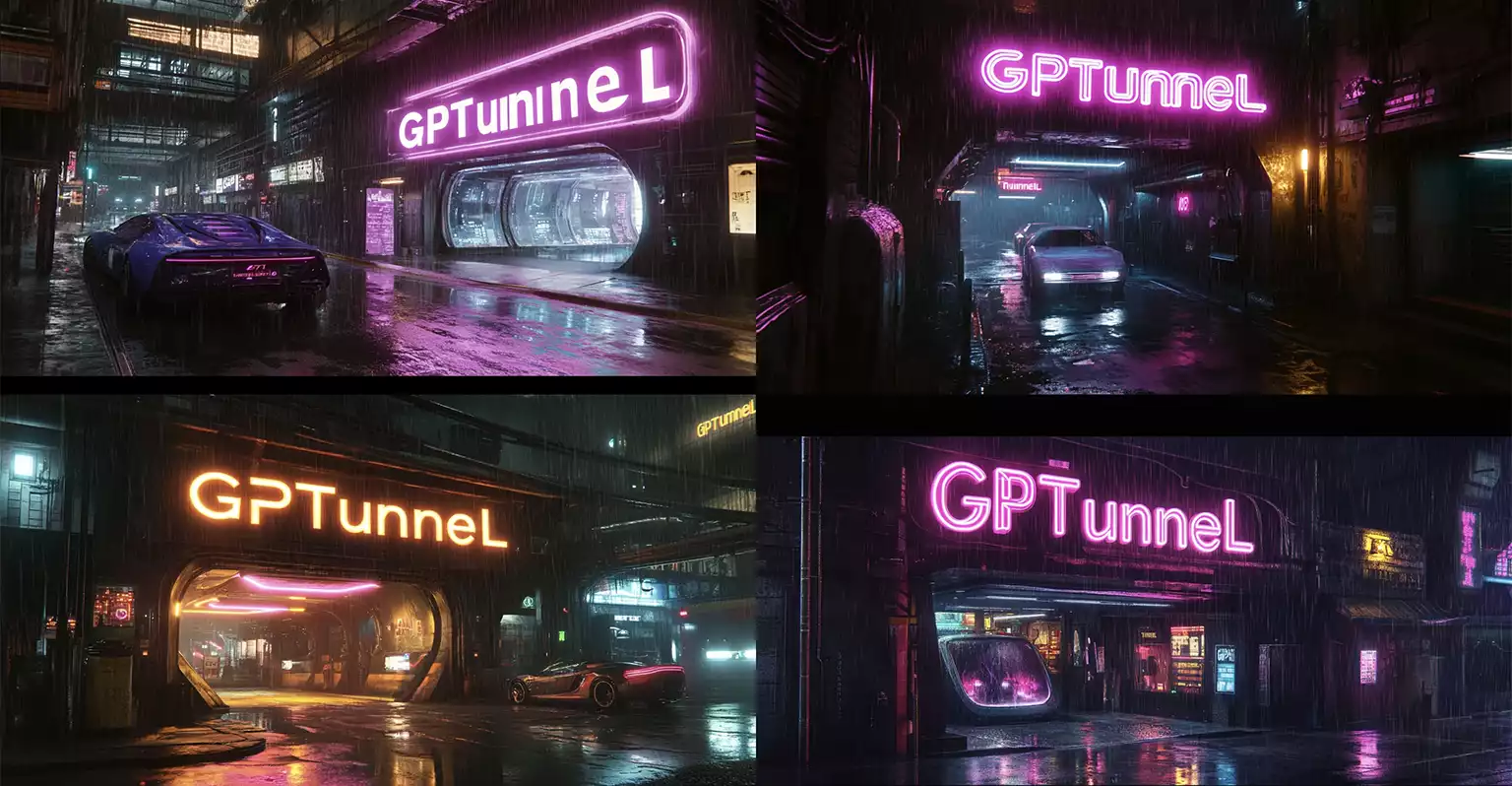
Midjourney v6.1 created atmospheric cyberpunk-style scenes with neon signs.
Interestingly, instead of a storefront as specified in the prompt, all four variants interpreted "GPTunneL" literally — as futuristic tunnels or passageways. The first generation contains a spelling error in the text, but in the other three cases the name is reproduced correctly.
Despite deviating from the store concept, the model did an excellent job conveying the atmosphere of a night city: reflections on wet asphalt, raindrops, neon lighting, and futuristic cars are all rendered in detail.
FLUX 1.1 Pro Ultra
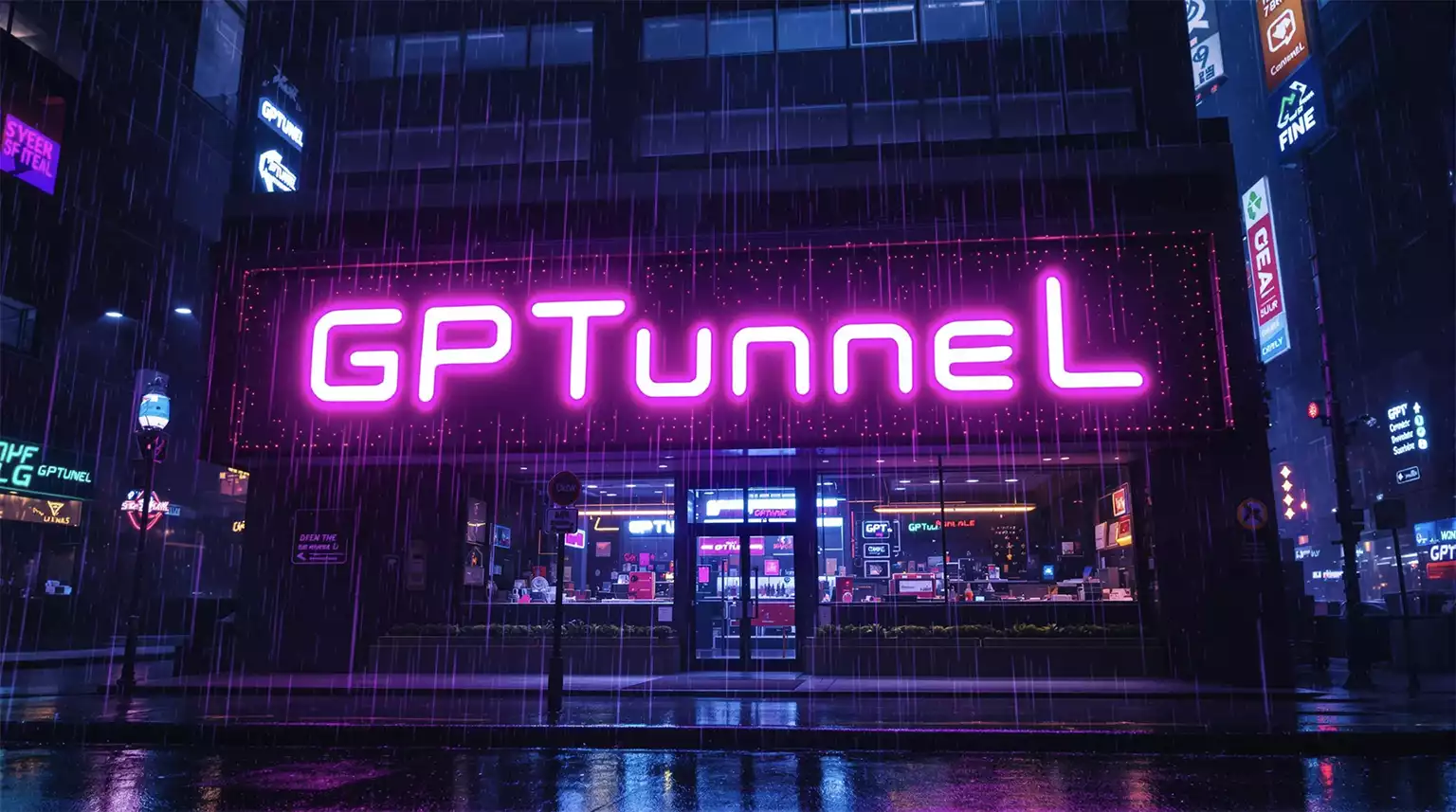
FLUX 1.1 Pro Ultra delivered a more accurate take on the "store" concept — we can see a storefront with a sign.
The text "GPTunneL" is correctly placed and easy to read. The image conveys a cyberpunk atmosphere through its neon elements and overall style, though the detail work on effects (such as reflections and rain) falls short of Midjourney.
Recraft v3
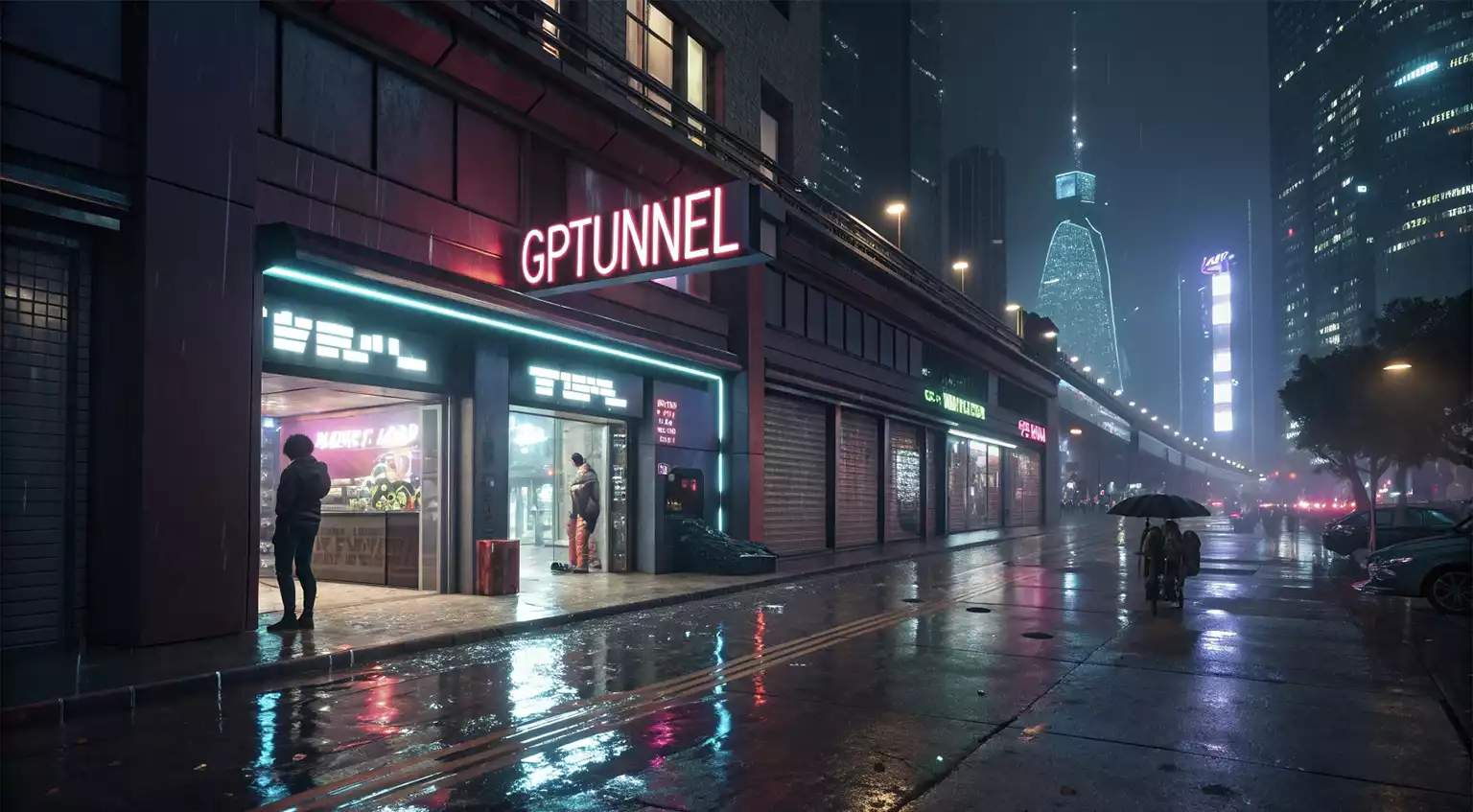
Recraft v3 even generated a person with an umbrella to enhance the mood of a rainy night city.
The text "GPTunneL" is displayed correctly. While there are some basic elements of cyberpunk aesthetics present (neon signs, reflections on wet asphalt), overall image quality and detail fall noticeably behind the other models.
Complex Prompt
For the second test, let's raise the difficulty: we'll try generating a space scene incorporating two text blocks of different sizes. This will let us evaluate how well the models handle text of varying scale and its artistic integration into the composition.
Prompt: Small astronaut in space, huge bold text «GPTunneL» integrated with scene, smaller text below «your tunnel to artificial intelligence», dark dramatic background --ar 16:9
Midjourney v6.1
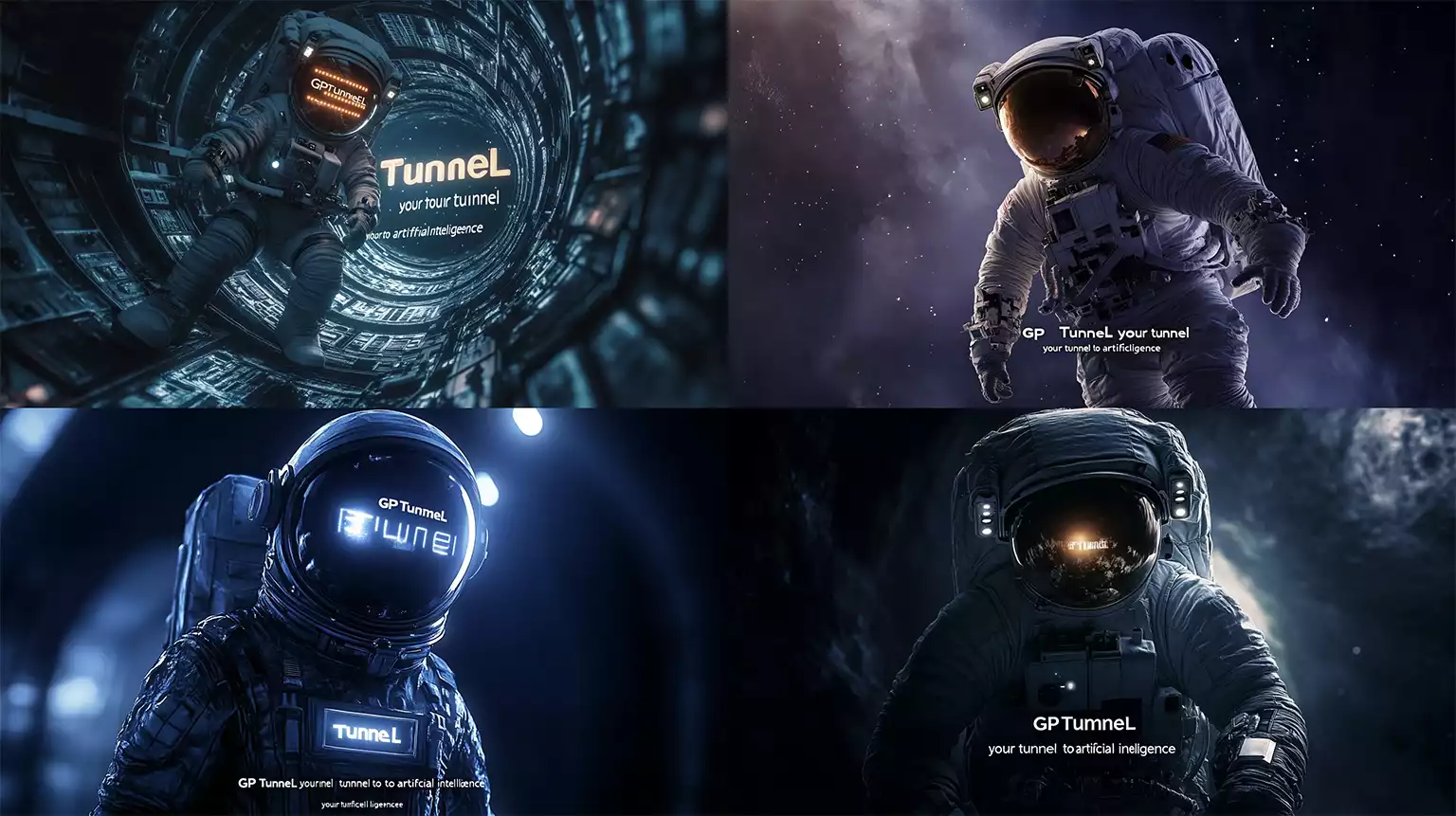
A space scene as rendered by Midjourney v6.1
The model produced four variants of a space scene featuring an astronaut. Each image stands out for its high execution quality, dramatic lighting, and detailed rendering of the spacesuit and space environment.
However, in none of the generations was the text reproduced 100% correctly — every version contains errors, either in "GPTunneL" or in the subtitle "your tunnel to artificial intelligence." This shows that even in its new version, Midjourney still struggles with precisely reproducing specified text.
FLUX 1.1 Pro Ultra
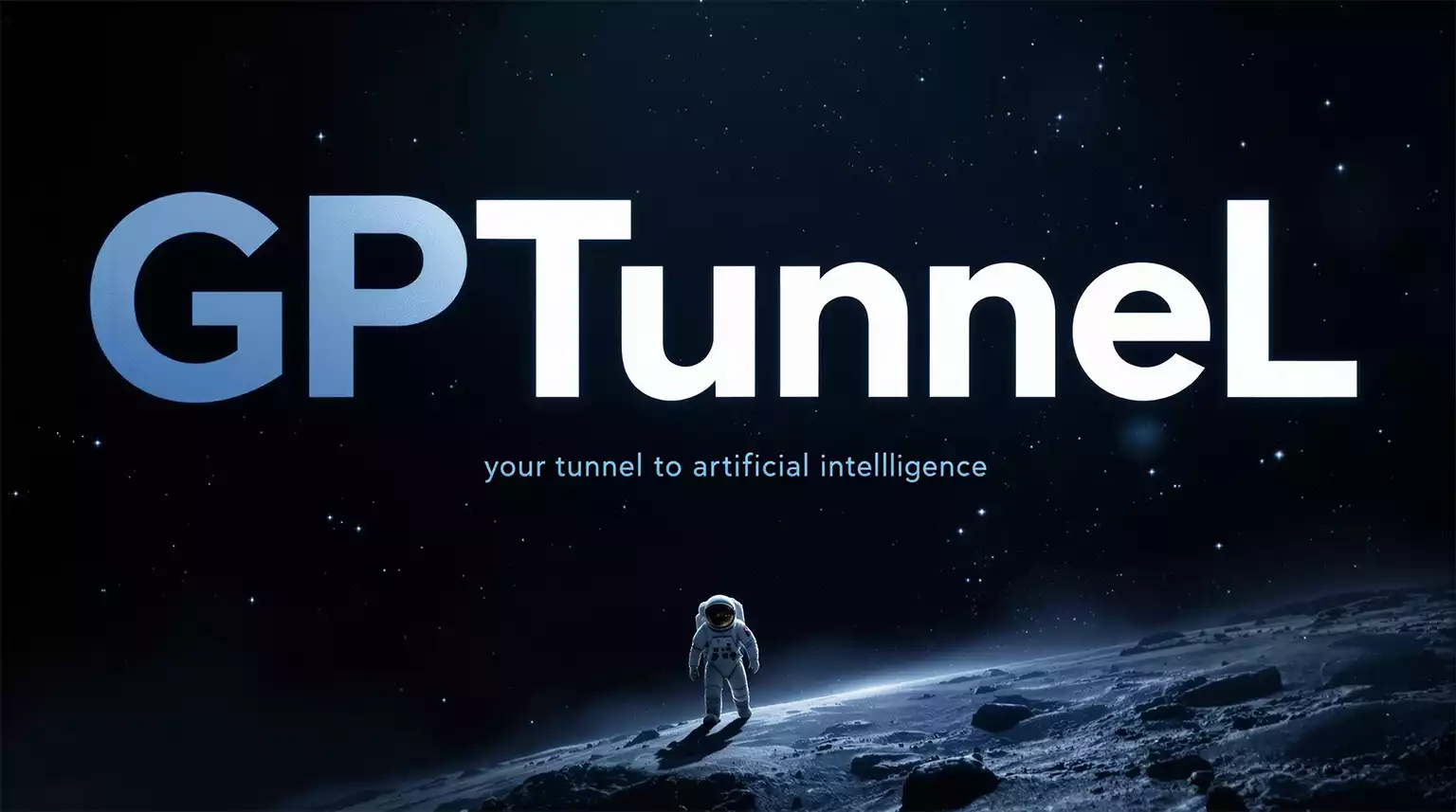
FLUX 1.1 Pro Ultra produced a professional-looking image in the style of an ad banner, with flawless text reproduction.
The "GPTunneL" logo is rendered in a white-and-blue palette that contrasts effectively with the dark space background. The subtitle "your tunnel to artificial intelligence" is correctly placed below the main text and styled to match it.
The astronaut figure on the lunar surface establishes the right scale and depth for the composition. The starry sky and overall color palette create a dramatic space atmosphere.
The image looks like a piece of professional advertising material, with all elements working harmoniously together.
Recraft v3
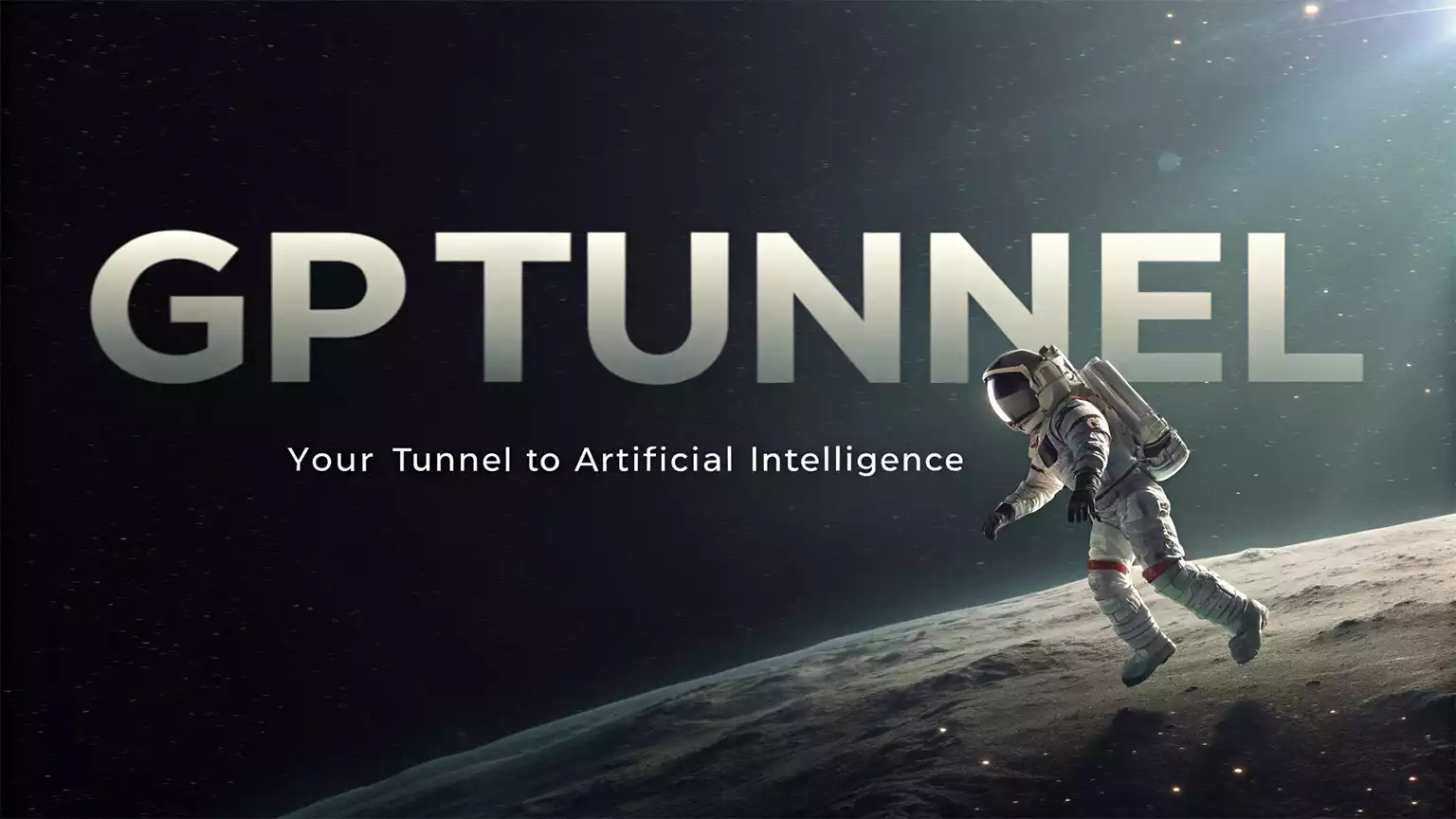
Recraft v3 produced a clean, professional image in the style of an ad banner.
Both text blocks are reproduced with perfect accuracy: the main text "GPTunneL" is rendered in a large font, and the subtitle "your tunnel to artificial intelligence" reads clearly beneath it. The model handled the main task — precise text reproduction in the given context — excellently.
Compositionally, the image is well balanced: the astronaut on the lunar surface complements the text nicely, and the dark space background with a subtle turquoise glow creates the right atmosphere.
Comparative Analysis of Results
Testing all three models showed that each has its own strengths and weaknesses. The comparison results are summarized in the table below.
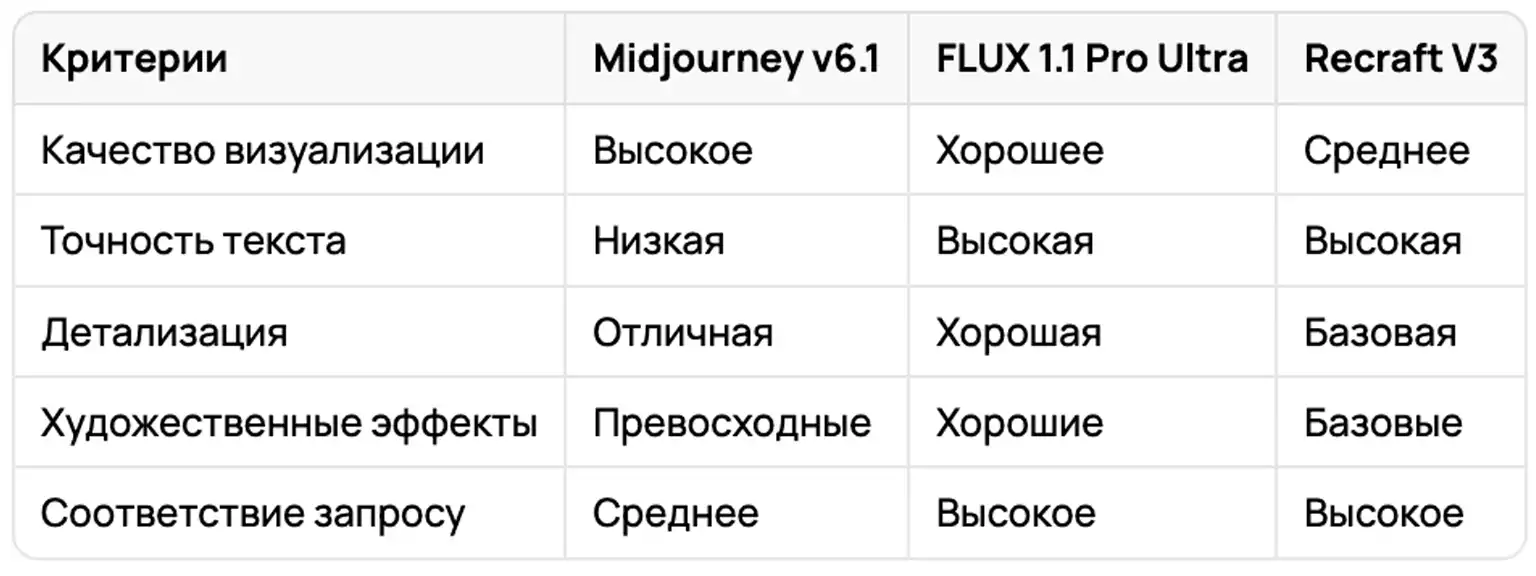
Comparison table generated based on the article by the Claude 3.5 Sonnet neural network
Our comparative testing showed that modern neural networks demonstrate varying levels of ability when working with text on images. While Midjourney v6.1 leads in visualization quality, it still makes mistakes in text spelling. FLUX 1.1 Pro Ultra and Recraft v3 show consistent results specifically in text reproduction accuracy.
Working With Prompts in Other Languages
It's worth noting that all the neural networks covered in GPTunneL have a built-in automatic prompt translation system into English.
This means that when you enter a prompt in another language, it's automatically translated into English before processing. This approach lets users who don't know English work with these systems without any language barrier.
For the best results, it's recommended to write prompts directly in English, especially when precise text reproduction on the image is required.
Final Recommendations
It's important to remember that the generation result depends heavily on how well the prompt is written. The same request can produce very different results not only across different models, but even within a single model depending on how the task is phrased.
So to get the best results, it's recommended to:
- Experiment with prompt phrasing;
- Test different models for your specific task;
- Study the particular quirks of each model;
- Save successful prompt examples for reuse.
All these models are available on the GPTunneL platform, where you can test their performance and choose the best option for your needs.