
Voice, chat, meetings and tasks for your team
A voice-first messenger: rooms are always open, with Telegram-style chat, a calendar with meetings, task boards and phone calls next to them. Install it on your own server with one command or use the cloud. Written by AI from the first line.
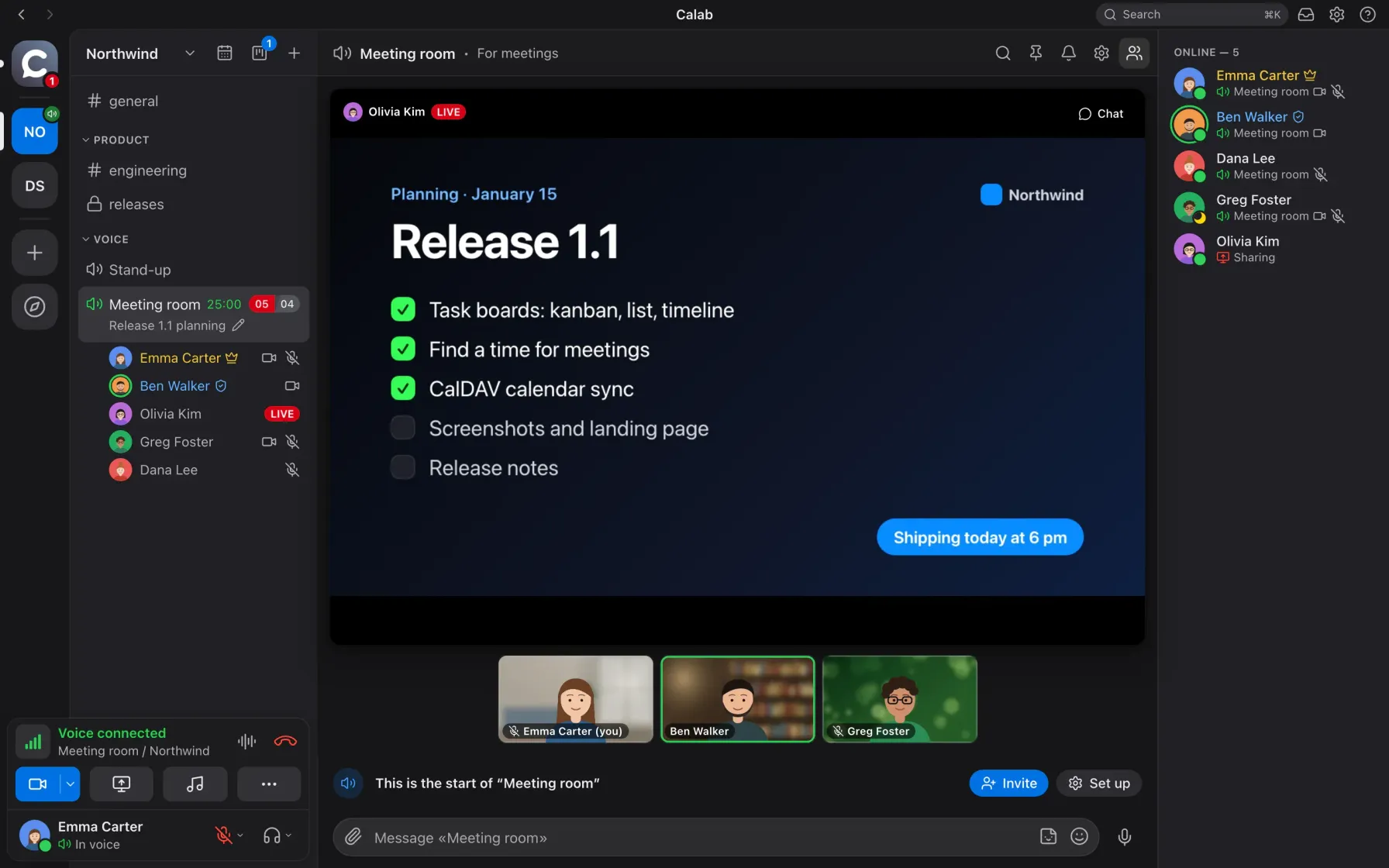
This is Calab: a stand-up with a shared slide and participants' cameras
Join a room and start talking
Voice rooms are always open: one click and you are in the conversation. Who is talking is visible right in the room list. Cameras, screen sharing and one-on-one calls live there too, without separate links or apps.
- Clean sound, no external servicesAEC3 echo cancellation and RNNoise noise suppression run on the device. Push-to-talk on any key or voice activation, including in the background.
- Screen sharing and cameraAV1 or hardware H.264 with simulcast: each viewer gets the quality their connection allows. Point and draw on top of the stream, blur your camera background or replace it with a picture.
- Meeting recording with transcriptsThe server records the meeting, and afterwards a card with the summary, the audio and the full transcript from GPTunneL arrives in the room chat.
- Temporary rooms and moderationA room for an hour or a day with a ready guest link, for calls with customers. Server-side mute, drag-and-drop moves, a soundboard for the whole room.
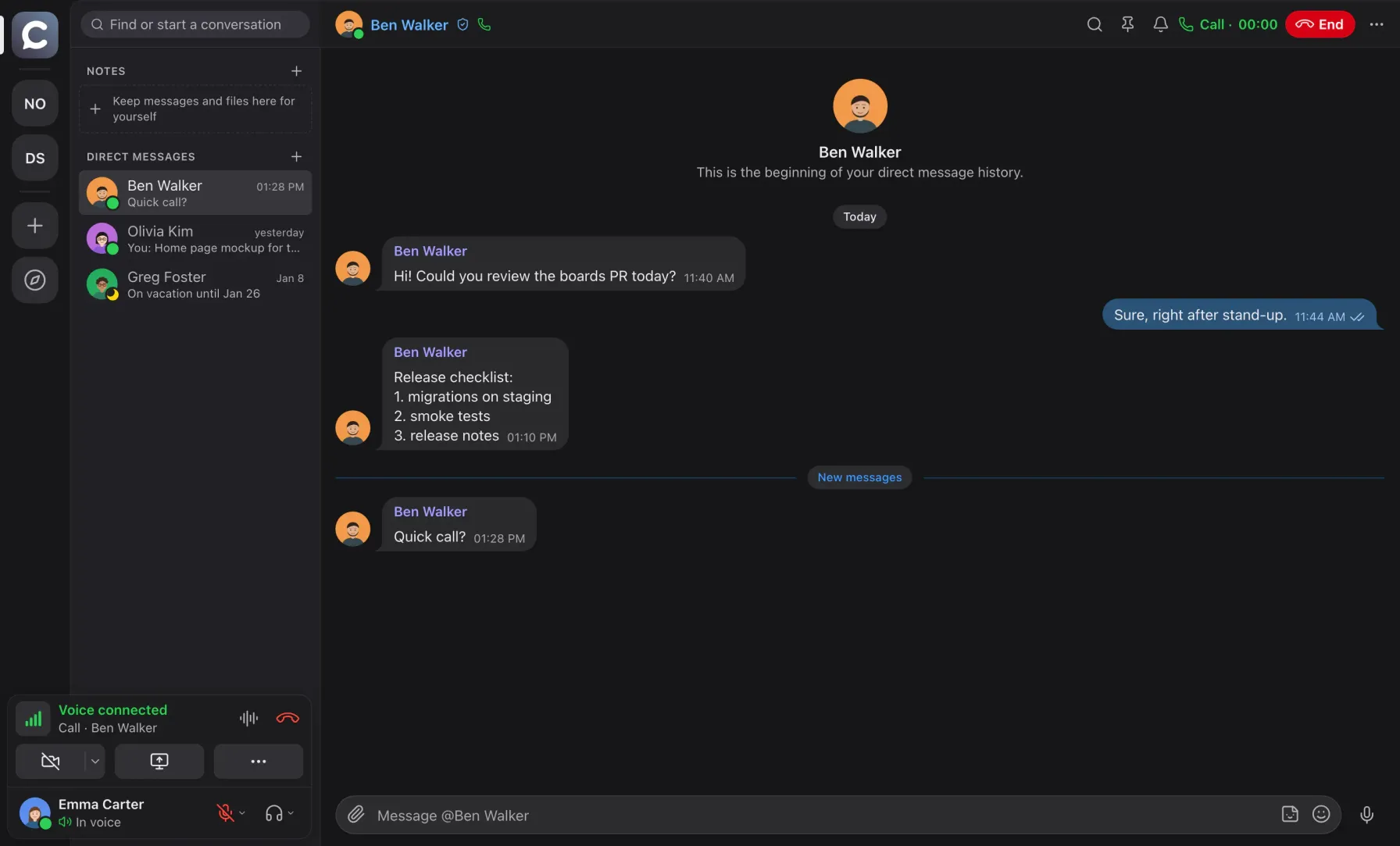
Voice without compromise, and no processing for musicians
The room sets the quality: from 8 kbps for poor connections to 64 kbps full band up to 20 kHz. In pauses a voice barely uses the network.
Four room levels
Low 8 kbps, normal 16, good 32 (the default) and excellent 64 kbps: Opus in full band up to 20 kHz.
Musician mode
Play an instrument or sing live: echo cancellation and noise suppression are off, the mic goes out in Opus music profile at 128 kbps mono or 192 kbps stereo. Headphones required. Team plan and above.
Stream audio as is
Music and demos play unprocessed, and the other participants' voices stay out of the stream (macOS 14.2+, Windows 11).
Personal ceiling
Anyone can cap the quality for themselves to save data on a worse connection.
Optional noise suppression
RNNoise turns on when needed and sleeps in pauses; while it is off, Chromium's built-in suppression works.
Light in silence
While the mic is quiet, a voice takes about 0.1 kbps. A static screen share takes 20–300 kbps.
Chat that feels like Telegram
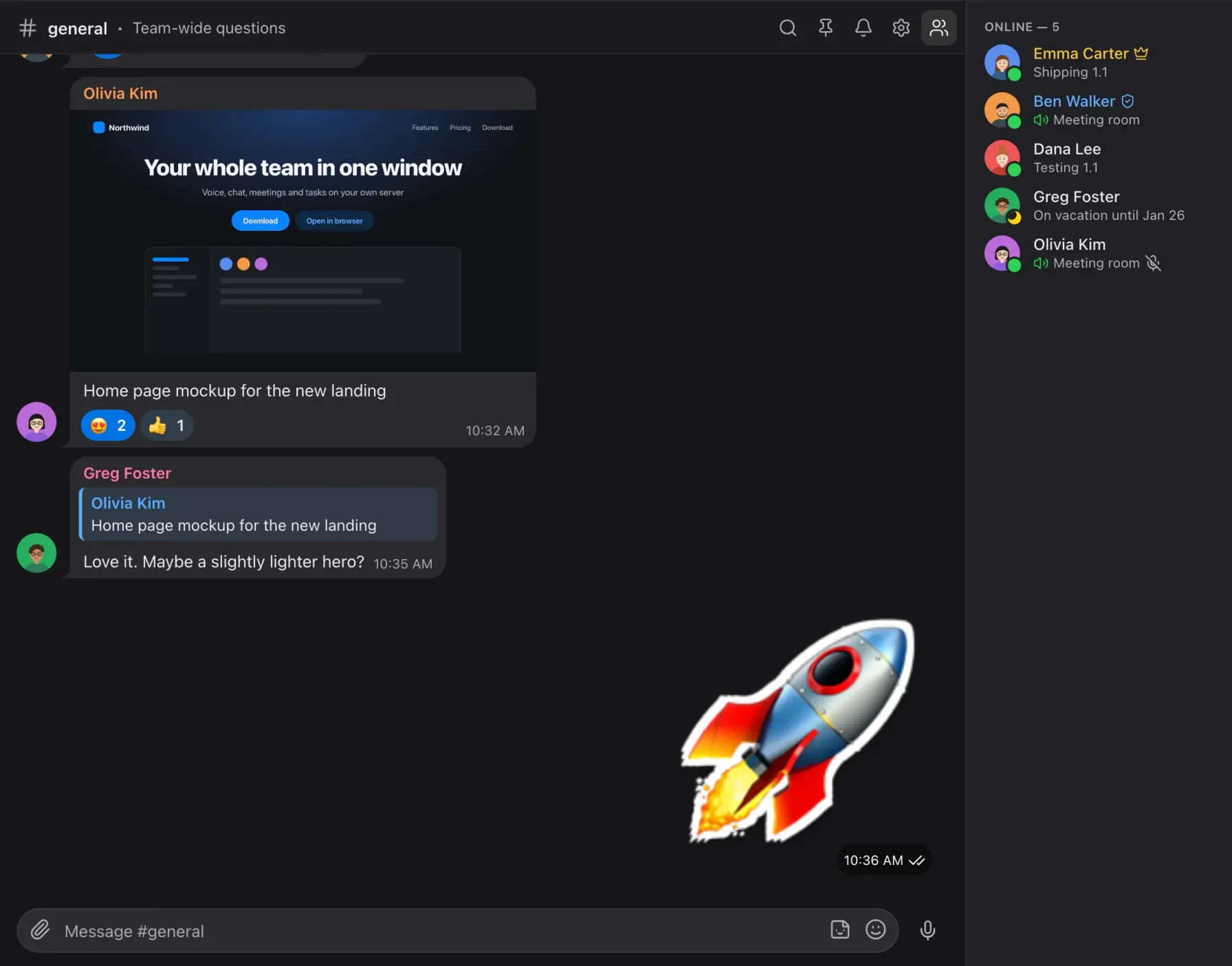
Every room has its own chat: replies, reactions, forwarding to several chats at once, stickers, voice messages, files with previews and a built-in player, pins and read ticks.
- Search with morphologyIn a room or across the workspace, a ⌘K switcher for rooms, people and messages, and an inbox of unread mentions.
- Direct messagesThe same feed as in rooms, plus an archive and one-click calls.
- Tasks straight from chatCreate a task from any message; a task link unfolds into a card in the chat.
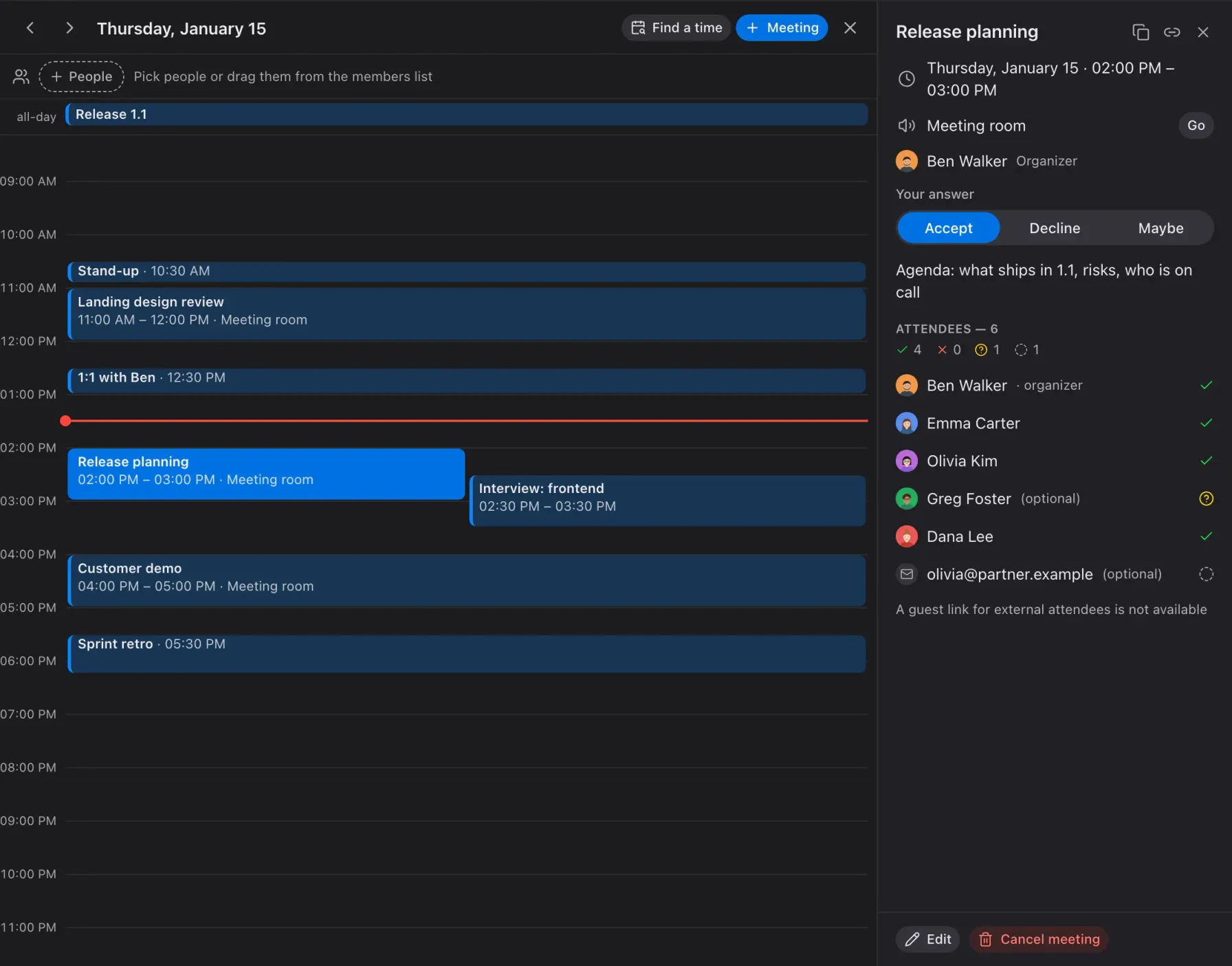
Meetings where the conversation happens
The calendar is built in: a day with meetings, attendee answers, the meeting room with a "Go" button, recurring meetings and reminders 15 minutes before.
- .ics invitationsAn email with invite.ics adds the meeting to Apple, Google or Outlook calendars. External attendees answer by link and join as guests.
- Find a timeColleagues' busy columns, shared free windows and the nearest slots within work hours; one click creates the meeting.
- CalDAVConnect iCloud, Fastmail, Nextcloud and other CalDAV calendars: your busy time counts, external events show up in your day, and Calab meetings appear there by themselves. Team plan and above.
Tasks next to the conversation
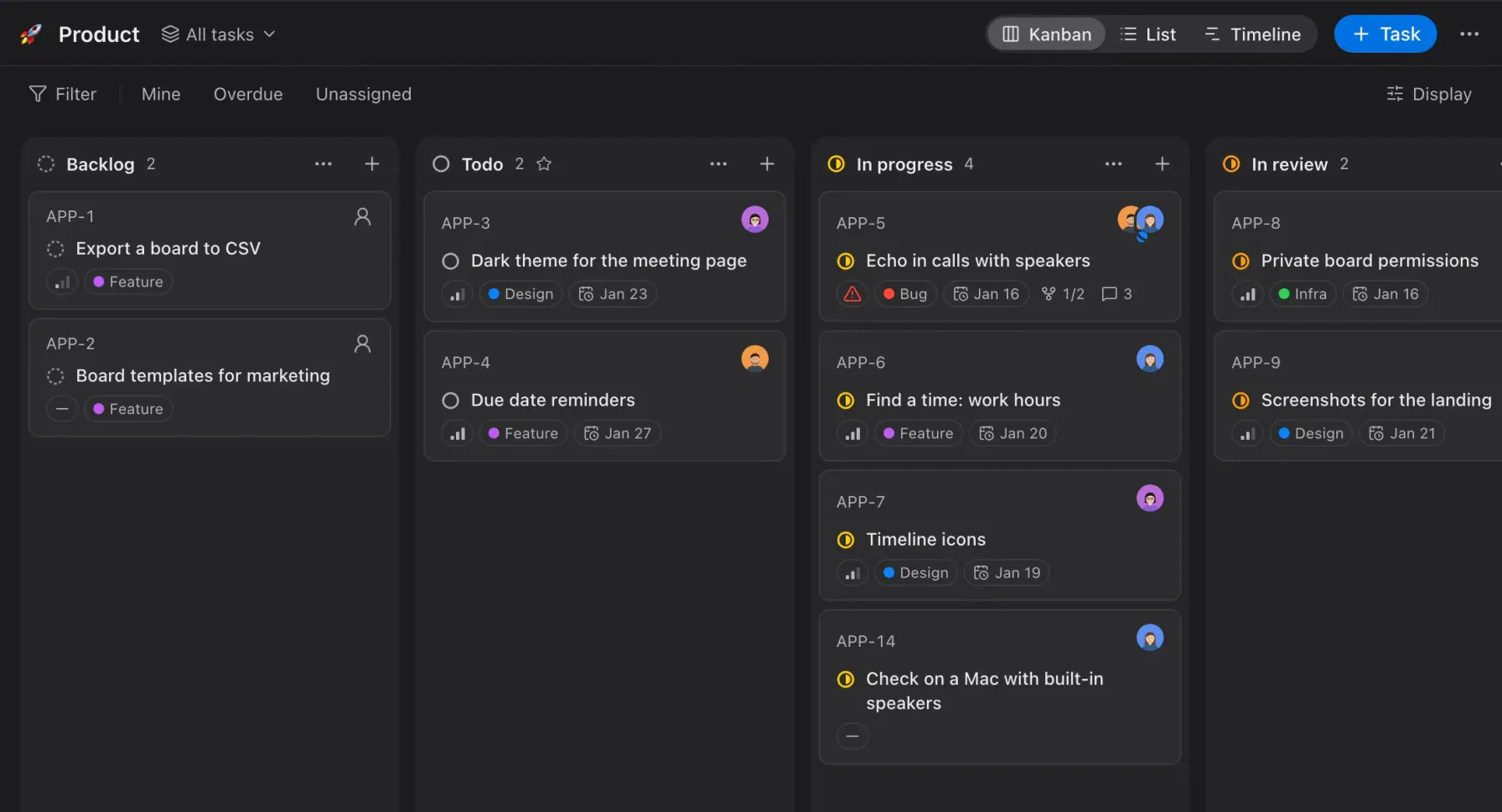
Kanban, list and a timeline with milestones in the spirit of Linear, with its keyboard shortcuts, and no separate service. Comments work like chat: reactions, stickers, voice messages.
- Everything for planningStatuses, priorities, labels, milestones and due dates, several assignees with a lead, subtasks and relations, filters and saved views.
- Task approvalsAssign approvers and how many approvals you need: all, or N of M. Until a task is approved it cannot move further along the board; a rejection comes with a comment.
- Private and closed boardsAccess by roles and people, like rooms; a closed board is hidden even from administrators.
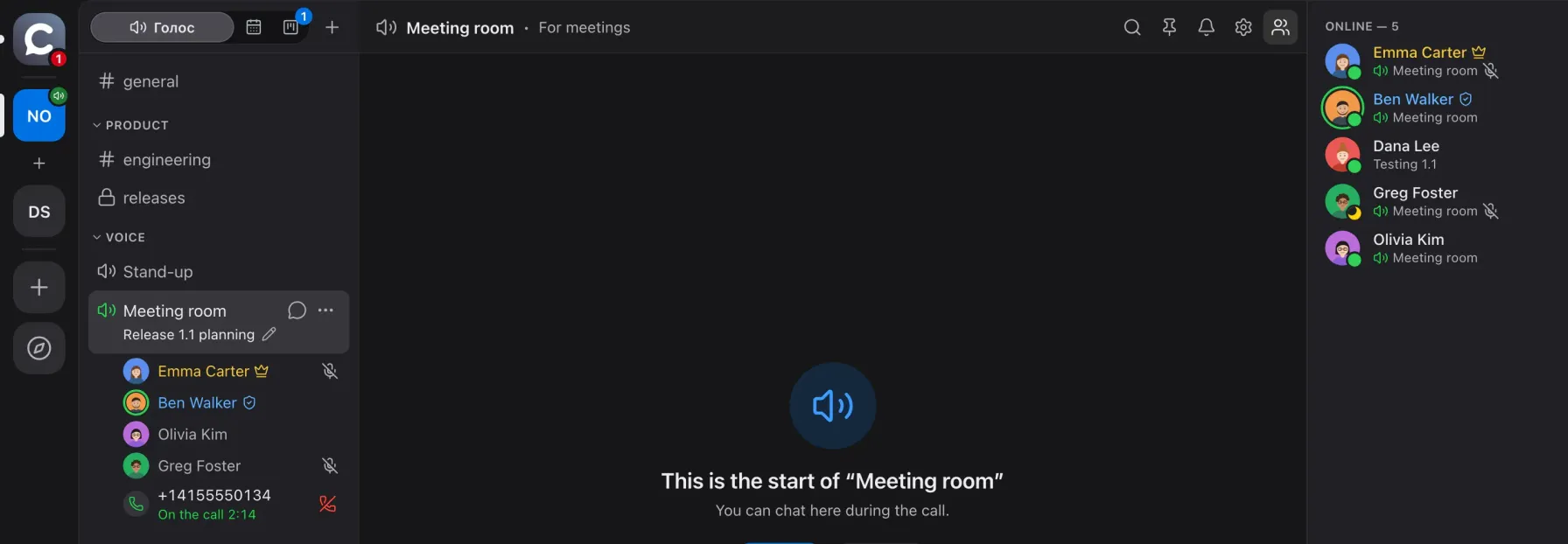
Call any number right from a room
Connect your own SIP provider and dial a landline or mobile number from a voice room. The callee joins the room as a participant with a phone icon, and everyone hears them.
- Status visible to everyone"Dialling… → Ringing… → On the call 02:14". The caller and moderators can hang up.
- Test and call log"Test connection" places a short call to your Caller ID; the log shows who called, when, where and how it ended.
- Controlled by the adminThe "Place calls" permission is given to nobody by default, one call per room, up to 20 an hour per workspace, destinations limited by prefix. Your provider bills the calls.
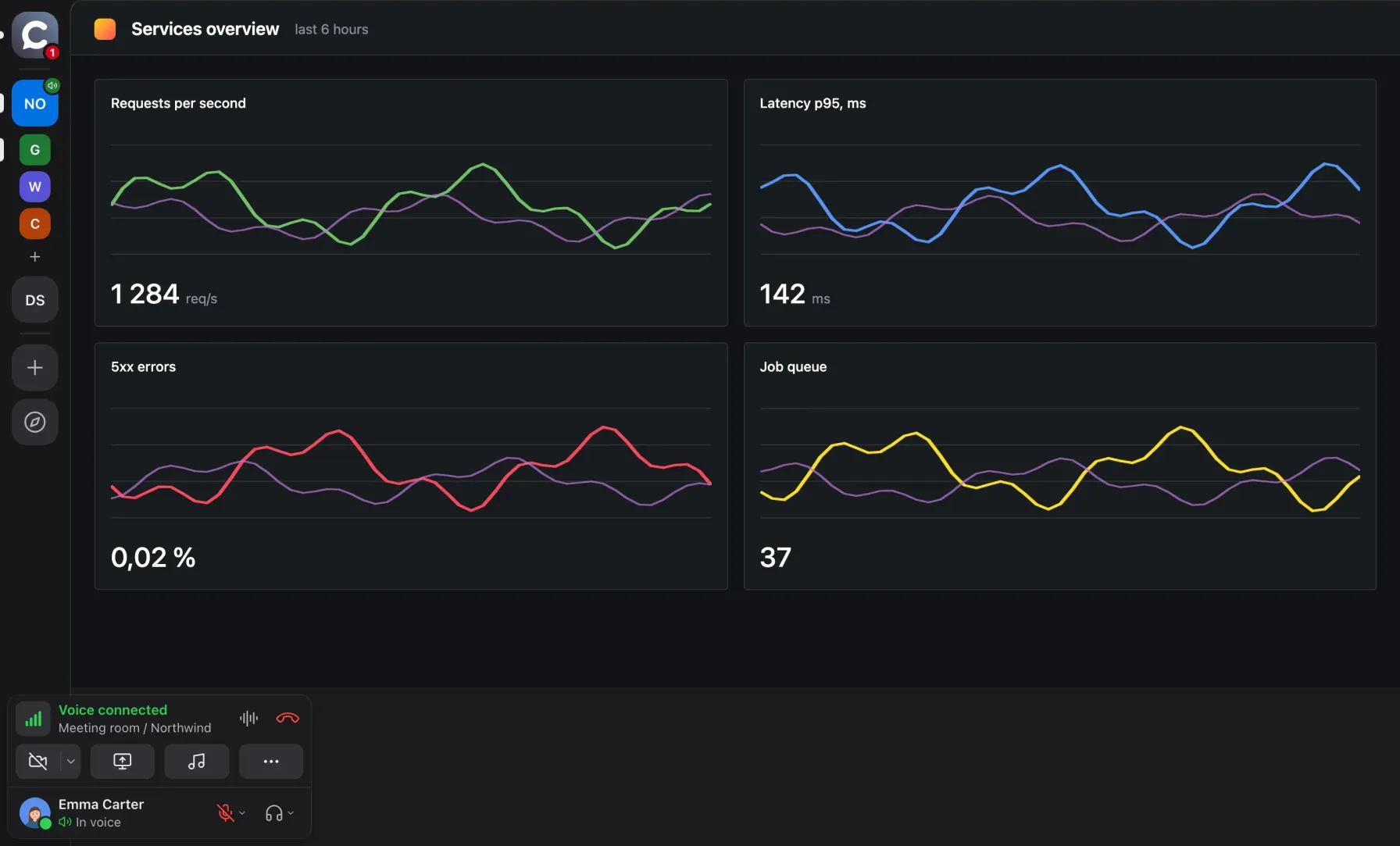
Your tools in the same window as the call
An admin pins site shortcuts in the left rail: Grafana, a wiki, a CRM. One click opens the site inside Calab, full window, and the call keeps going.
- Up to 20 apps per workspaceA shortcut is a picture, a name and an address; reorder by drag and drop. Everyone except guests sees them.
- Separate loginsSign-ins are kept per app and never mix with Calab; camera and microphone only with your permission.
- Quiet in the backgroundA hidden app that uses more than 2 % of a core is unloaded after 15 seconds, and its logins stay.
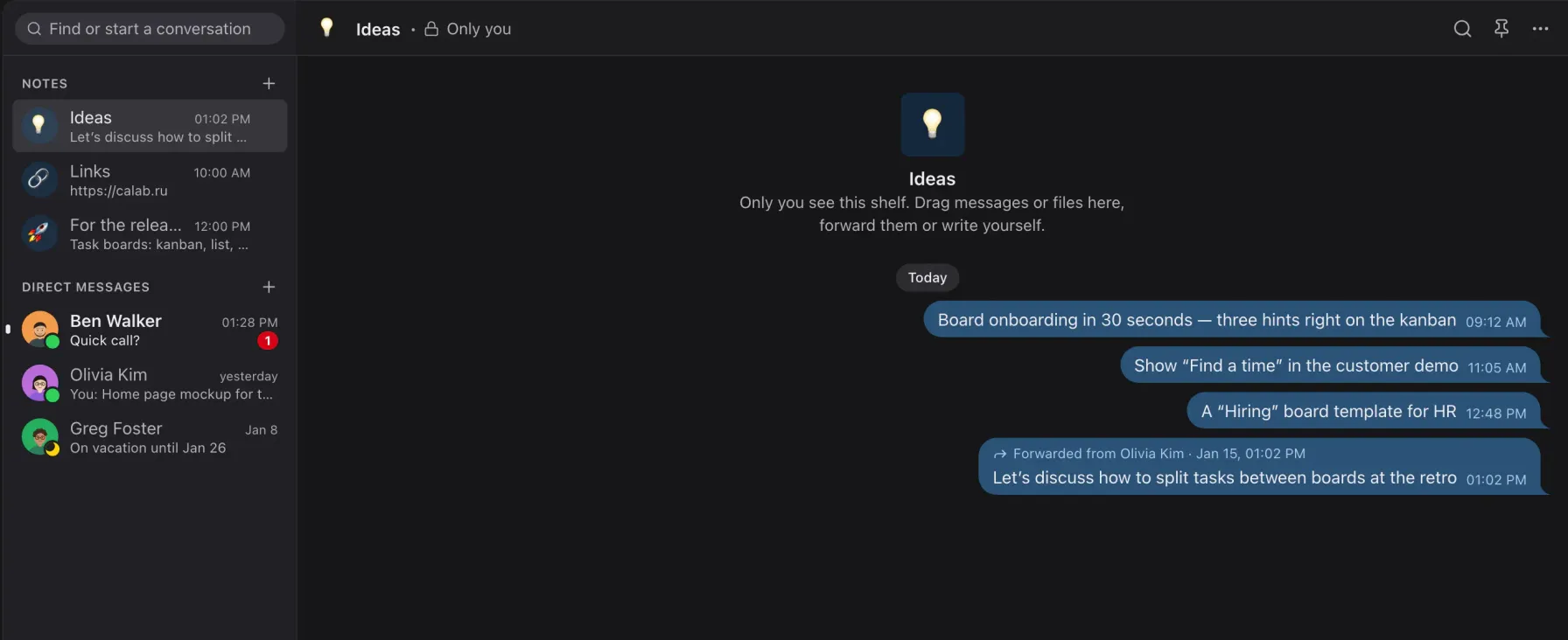
Private shelves for everything important
Up to 20 shelves with your own names and emoji, like Saved Messages in Telegram, only several. Only you see a shelf.
- Drag or forwardMessages from chats and files from Finder or Explorer go straight onto a shelf.
- Works like a chatPins and search work the same way as in rooms.
Guests without sign-up, with your permission
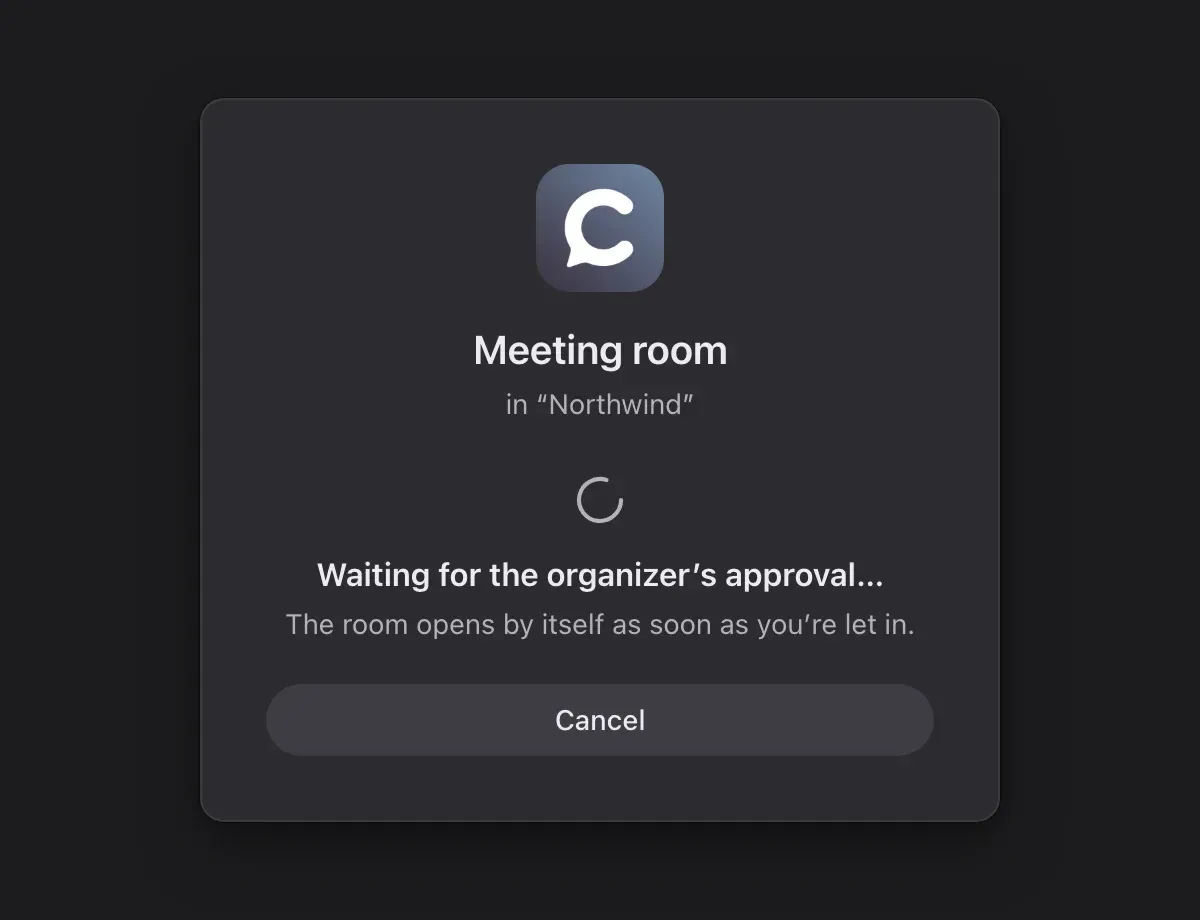
A guest link leads straight into a room: the guest types a name and joins. Need control? Turn on approval and the organizer clicks "Let in".
- A guest sees only their roomGuests do not count towards the member limit, and an admin can turn a guest into a member.
- Waiting roomApproval per room or per link, with a sound and a waiting counter for the organizer.
A bot is a member like everyone else
A bot uses the same API as the app and sees exactly what its roles allow. Bot API v2 covers almost everything a person can do.
Chat
Reads and writes in allowed rooms and DMs, answers /commands, adds buttons under messages.
Tasks
Creates, edits, assigns, comments on and searches tasks on boards.
Calendar
Schedules and moves meetings, checks free/busy and finds a time.
Voice
Joins a room through LiveKit, hears participants and speaks, in Node, Python or Go.
Members
Profiles with open tasks, invitations by link and email, badges, guest admission.
Meeting recording
Starts and stops recording; the transcript and summary arrive as a card in the chat.
WebSocket or webhook
Realtime events, or a POST signed with HMAC-SHA256 and retried on failures.
TypeScript SDK
@calaba/bot-sdk and examples: echo, voice echo, text to speech, a Python bot.
Lightweight, and we measured it
We measure CPU on a real machine and publish the numbers with the method. Average load without a call, % of one core: Calab and Discord on the same Mac, back to back, in the same conditions.
| Calab | Discord0.0.413 | |
|---|---|---|
| No call, window visible | 0.05 % | 0.97 % |
| No call, window hidden | 0.2 % | 0.85 % |
MacBook Air (Apple M4, 10 cores, 24 GB), macOS 27; the sum over all app processes, sampled every 5 s for 3 minutes, one run per scenario. We did not measure Discord in a call, so we make no voice comparison. Calab itself in voice with a quiet room uses about 7 % (down from 15 %), and a hidden window does not decode video. Numbers will differ on other machines. Method and all measurements
Built for teams with an admin, not a DevOps department
Everything you need in one docker compose: Caddy, LiveKit, a Go API, PostgreSQL and Valkey. No external services.
Roles by function
Several roles per person, separate rights for boards, members, bots, integrations, recordings and invitations, overrides per room and per board.
Closed sections
Private rooms and boards are visible only to a list of people, closed ones not even to administrators. Anything you cannot see answers "not found".
Works behind firewalls
UDP → TCP → TURN over 443 automatically: to the network it looks like plain HTTPS. One public IP is enough.
Encryption in transit
Media over DTLS-SRTP, API over HTTPS/WSS, HSTS and a strict CSP, argon2id, refresh token rotation. No end-to-end encryption yet.
Rights checked on the server
One permission function on the server and the client with shared test vectors; the client only hides UI.
Operations
Let's Encrypt certificates, daily backups with a verified restore, Prometheus metrics, files on disk or in S3, self-updating apps.
GitHub issues are solved by AI. A human only approves
Calab was written by models from the first line: architecture, code, tests, documentation and the changelog. The same pipeline handles user requests, with a single manual step: approval, so nobody can make the AI harm the project.
Cause: Caps Lock is read through the layout, not as a physical key
Change: apps/desktop → hotkeys, read the key code directly
Checks: typecheck, unit, e2e:visual -g settings on three layouts
Risk: low, affects macOS only
✓ typecheck · lint · unit
✓ e2e:visual -g settings — 3 of 3
✓ CI: buf lint, go vet, generated code drift check
→ Calab 0.3.1 · changelog updated, builds published
The AI replies inside the issue: cause, plan, estimate.
The plan is tied to the project's docs, not to guesses.
Without approval the agent does not touch the code.
That is how five versions shipped on day one.
Your team needs a feature: with a vendor and with Calab
Email to support
A quarter in the vendor's backlog
Only if it fits their plans
Wait for a release for everyone
Maybe in a year
Issue on GitHub
AI plan within minutes
Human approves, agent codes
Tests and review in CI
PR and release in days, not quarters
Changes for your processes, such as SSO, integrations, branding or your own infrastructure, are delivered under a GPTunneL commercial licence.
Calab versus cloud messengers
| Calab | Discord, Slack, Zoomcloud | |
|---|---|---|
| Where your data lives | On your server or in the Calab cloud | In the vendor's cloud |
| Source code | Open on GitHub | Closed |
| Voice, meetings, tasks | In one app | Usually separate services |
| Phone calls | From a room, via your SIP | Depends on the service |
| Changes for you | Issue → AI → PR | Only from the vendor's roadmap |
| Closed network | Yes, one public IP | No |
| Guests | By link, with admission control | Depends on the service |
Non-commercial use of Calab on your own server is free; commercial use requires a GPTunneL licence.
Free, Team, Business and Enterprise
Start for free. Need more? Team or Business in the cloud, or Enterprise: Calab on your own server with no limits.
| Freefree | Teamon request | Businesson request | Enterpriseyour server | |
|---|---|---|---|---|
| People in a voice room | up to 5 | up to 15 | up to 50 | unlimited |
| Workspace members | up to 50 | up to 100 | up to 500 | unlimited |
| Files | 5 GB | 300 GB | 1 TB | unlimited |
| Screen shares / cameras per room | 1 / 3 | 2 / 10 | 5 / 25 | unlimited |
| Audio and video quality | up to "Normal", 720p 15 fps | any | any | any |
| Bots / task boards | 1 / 3 | 5 / 30 | 20 / 50 | unlimited |
| Musician mode and CalDAV | no | yes | yes | yes |
| Support | no | yes | priority | yes |
The calendar, task approvals, web apps and telephony are on every plan; guests do not count as members. Team and Business prices on request at it@gptunnel.ai. Enterprise: free for non-commercial use with "Powered by GPTunneL" in the interface, commercial use under a GPTunneL licence. Plans on calab.ru
Three commands to a working messenger
You need a Linux host with a public IP, Docker with Compose and a domain with A records for app, rtc and turn. For a team of up to 30 people, roughly 4 vCPUs and 8 GB of RAM.
git clone https://github.com/itrcz/calab.git && cd calab
Clone the repository
cp infra/docker/.env.example infra/docker/.env
Fill in the domain and secrets
Every variable is described in the file's comments.
infra/docker/deploy.sh
Bring the stack up
Caddy, LiveKit, API, PostgreSQL and Valkey. Let's Encrypt certificates are issued automatically.
Ports: 80/443 TCP, 443 UDP, 7881 TCP, 7882 UDP. The first registered user becomes the server owner, everyone else joins by invite. The macOS, Windows and Linux apps update themselves.
Deployment guideWhat comes next
None of this is in Calab yet; these are the nearest plans.
Voice AI assistant
An assistant in voice rooms. Already in testing, not generally available yet.
IVR
A voice menu and internal extension numbers for SIP calls.
Wiki
A team knowledge base next to chat and tasks.
Disk
Shared file storage for the workspace.
We adapt it to your processes
Open source plus an AI pipeline means "custom" is not a quarter of development but an agreed plan and a few days.
Your own perimeter
We deploy on your servers or inside a closed network, migrate data, set up backups and monitoring.
Integrations
SSO and OIDC, bots and webhooks, connections to your CRM, trackers and knowledge bases.
Branding
Name, logo, domain and your own app builds under your brand.
Support
Updates from your server, restores from backups, a contract and closing documents.
Questions about Calab
Need Calab for your team?
Team and Business plans, a commercial licence, deployment inside your perimeter, custom changes and support: leave your details and we will reply within one business day.
Your whole team in one window
The code is open, the server comes up with one command, and changes are made by AI under human supervision.
- Voice, video, chat, meetings and tasks
- A free plan, or your own server
- GitHub issues instead of vendor tickets