

Let's dive into the latest updates from GPTunneL! We've recently rolled out a whole set of improvements and new features. And we're not stopping there.
In this post we'll share where our product stands today, reveal our plans for the future, and tell you what our users can expect at the start of next year. Get ready for an exciting look at our latest achievements and ambitious plans!
1. Assistants
Many of you have probably already noticed our new catalog of ChatGPT assistants. It's a place where anyone can build a personal helper and, if they want, share it with our community. Or, if you'd rather keep things private, use it just for yourself. Let me explain why you might need an assistant like this.
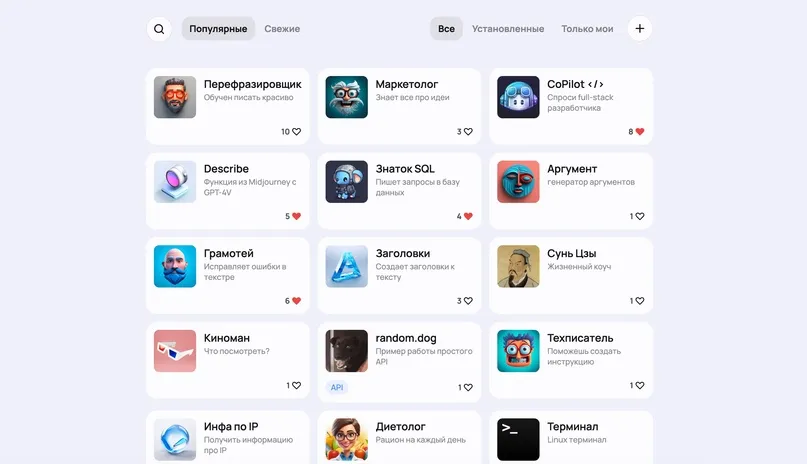
Let's start with the simplest ones — assistants that take routine tasks off your hands. We've built several of them, for example:
"Proofreader" - fixes text without extra instructions. Send it your text, and it'll quickly clean it up, correcting mistakes.
"Paraphraser" - has a knack for phrasing things beautifully and can turn your message into a clearer, more elegant version.
"CoPilot" - the perfect tool for programmers, fixing bugs in code, helping write programs, and giving development advice across various programming languages.
The value of assistants like these lies in saving time and money. Constantly explaining to ChatGPT what you need can be expensive and time-consuming. And if you're juggling many tasks that require quick switching between them, having an assistant stops being a nice-to-have and becomes a necessity.
Set up an assistant once, then simply pick it from a dedicated menu in the chat. You can also write your prompts in English, which can save on token usage down the line. And these are just the core features — assistants can do much more.
2. ChatGPT plugins
We've built an intuitive way to create ChatGPT plugins, with a simple and accessible interface. Now every assistant on our GPTunneL platform can be turned into a plugin that extends the capabilities of GPT-4 or GPT-3.5, letting them interact with the outside world through our API.
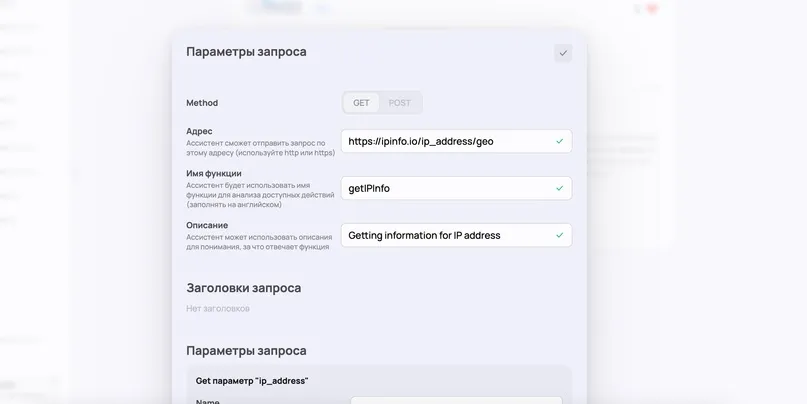
How does it work?
You create an assistant and add API functions to it, specifying the parameters your functions accept and describing in text what to expect from running each function. ChatGPT's algorithm then takes on the role of the smart part, figuring out which functions to call and in what order. We handle the rest — making the calls on our servers and passing the responses back to the chat, so it can give you exactly the answer you need!
As an example, we built a few assistants that use an external API to demonstrate what ChatGPT plugins can do.
Let's walk through a plugin that tells the user the weather, using a free API and geographic coordinates. And the best part is you won't even need to worry about the details of passing data to the API.
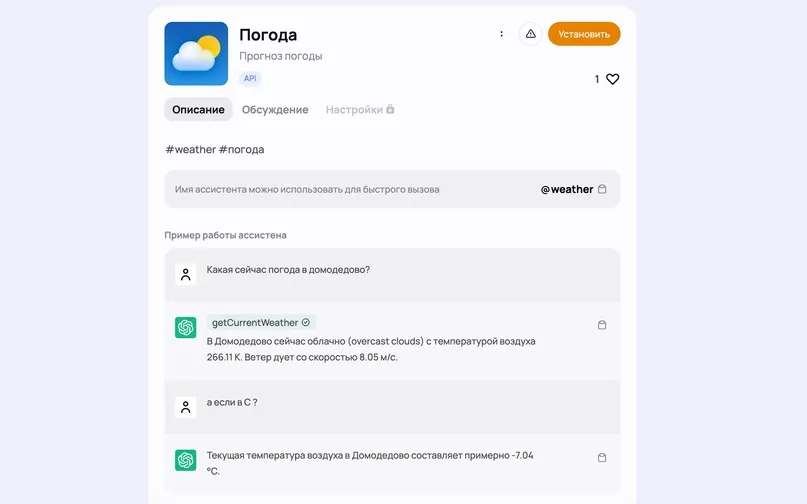
For example, you can simply ask: “What's the weather like in Paris right now?” and ChatGPT will automatically detect the location, use the right parameters, call the API, get the data, and tell you the current weather! This is just an example of the simplest use case — how far you take the API is only limited by your imagination.
3. Knowledge bases - embeddings
You might say: an API is great, but what about uploading files to ChatGPT to use as a knowledge source? We hear requests like this often, and we're happy to say we're already hard at work on this feature! Today I'll share the latest news on our progress.
Let's start with how you even upload large files into a chat when the context window is so small — and I mean genuinely large files, several gigabytes in size!
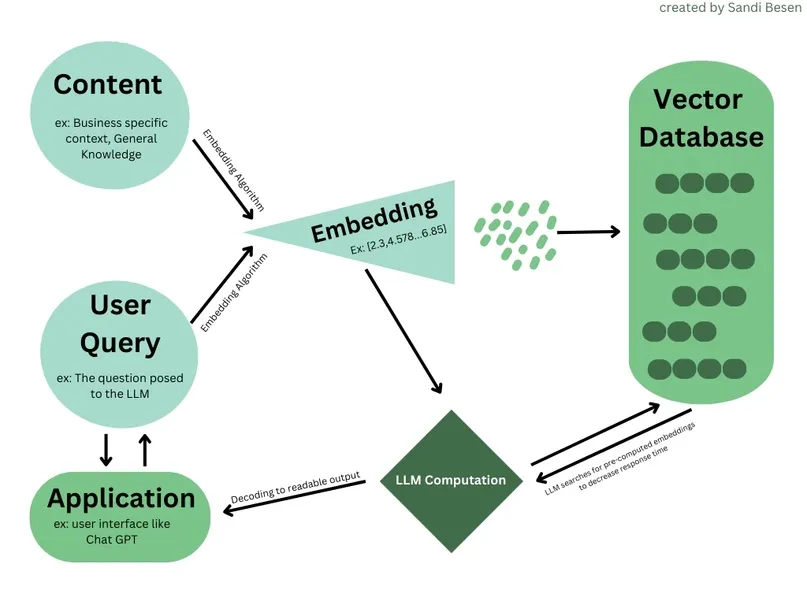
There is a solution — a vector database. It's a database where files are stored as embeddings (numbers that help us capture the meaning of words in a file). Put simply, we build a 3D model of words, except instead of the usual three dimensions we use 1,500 or more, creating multidimensional spaces of meaning. This lets us understand that "soda" and "Coca-Cola" mean roughly the same thing, that "table" and "phone" are somewhat related, while "table" and "earth" belong to completely different worlds.
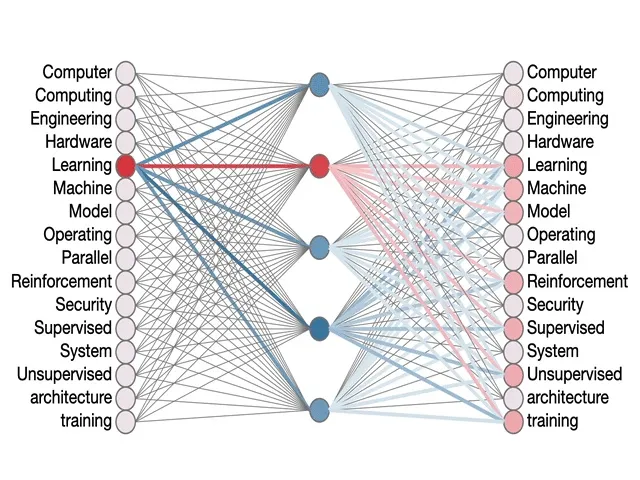
This data lets us efficiently find the right content in a file to use in the context window. There's one important limitation to keep in mind though: we can't load an entire file into the model at once, and nobody can do that yet. Still, we can search for the most relevant information among gigabytes of data and use it as context based on a specific query — and that's exactly the kind of task we aim to solve.
As for generating embeddings, they're produced using a special OpenAI model called ada-embeddings. Yes, it's a paid service — 1,000 tokens cost us just a fraction of a cent. Not much at all, so it's very workable!
This solution will be a great fit for working with knowledge bases, documentation, and various reference materials. With a vector database, the chat can quickly find answers to queries using advanced search algorithms. That said, many people mistakenly assume that a vector database plus ChatGPT can handle more complex tasks, like summarizing a book or writing a review. It's worth being clear that at this stage those tasks are only achievable through fine-tuning the model, which is an entirely separate topic. We'll go into more detail on that another time.
4. New DALL•E version 3.0
Yes! We thought — why not? OpenAI has been actively developing its diffusion model and has already achieved impressive results. And we have the opportunity to bring this technology into the chat. So we decided to integrate DALL-E 3 directly into the conversation system. To try it out, you can enable this option through the settings menu for the GPT-3.5-Turbo or GPT-4-Turbo model, as shown in the screenshot below.
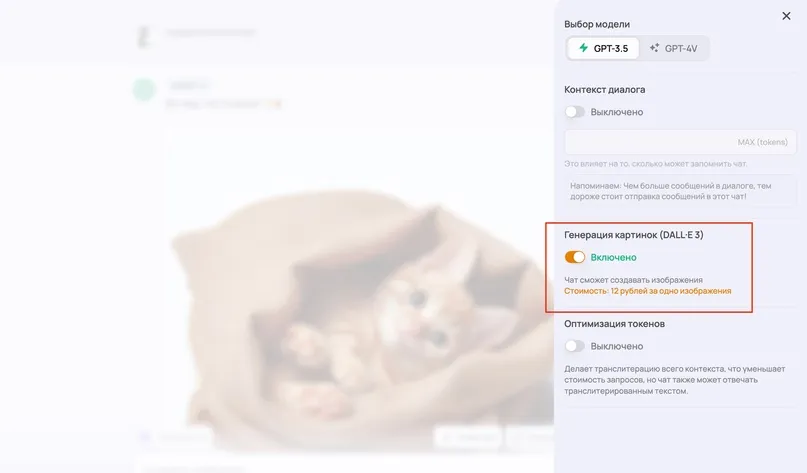
Generating an image with DALL-E is very simple. All you need to do is flip the toggle and type a request in chat asking for an image. ChatGPT's internal mechanism will craft a suitable prompt and talk to the DALL-E API. As a result, you'll get an image that closely matches your request in just a few seconds. Here's how it works:
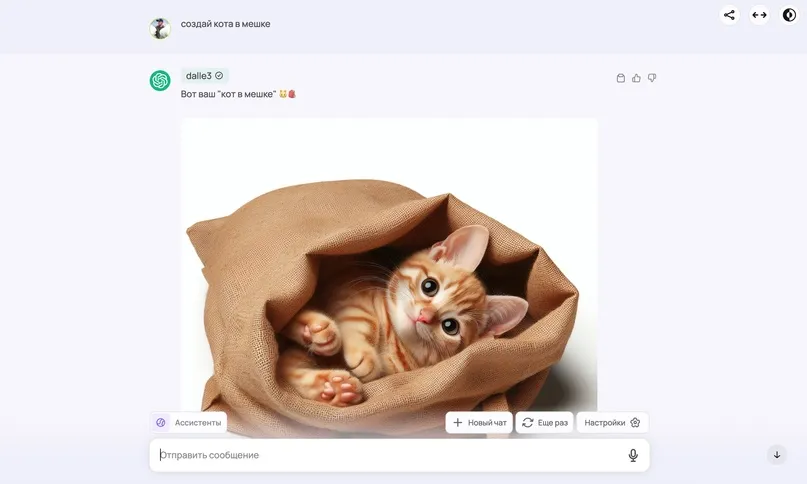
Notably, DALL-E handles tasks that require adding text to images quite well, unlike MidJourney. Take a look at how it solved the task of drawing a flag with "hello" written on it, planted on the Moon:

MidJourney is certainly still the leader in the world of diffusion models right now, but DALL-E is already showing a very high level of quality, and OpenAI has every chance of changing the game soon.
5. FaceSwap 2.0
We've updated our face-swap model — it now performs face swaps with better quality and faster, though not perfectly yet, so we're still working on improving it!

We've also expanded our service by adding an API for the FaceSwap feature and significantly improved the MidJourney API. Great news — you no longer need to be a registered legal entity to use the API. To get access, just reach out to our manager, share the details of your project, and they'll enable API access for you.
Conclusion
Since this post turned out pretty long, and that's with only the most important parts of our update covered, let's wrap up here :)
We have some fairly ambitious plans for 2024, and you'll see a lot of interesting developments for business solutions, along with exciting new audio and video models. But most importantly, we'll keep polishing the service's stability and simplicity to stay the best on the market!